Melotte Consulting

Journal entry

Handling potentially empty fields in Tape

A practical way to build calculation fields that still read cleanly when some source values are missing.

guide Tape 14 Sept 2025 5 min read

Why this entry exists

  • Useful notes belong on the main site when they help people make better use of systems in practice.
  • The goal is clearer workflows, better operational decisions, and fewer avoidable workarounds.
  • If a guide is worth writing, it should be easy to find and easy to return to later.

Calculation fields often look straightforward until one of the values is missing.

For example, imagine building a contact title from first name and second name. If one field is empty, the result can look awkward very quickly.

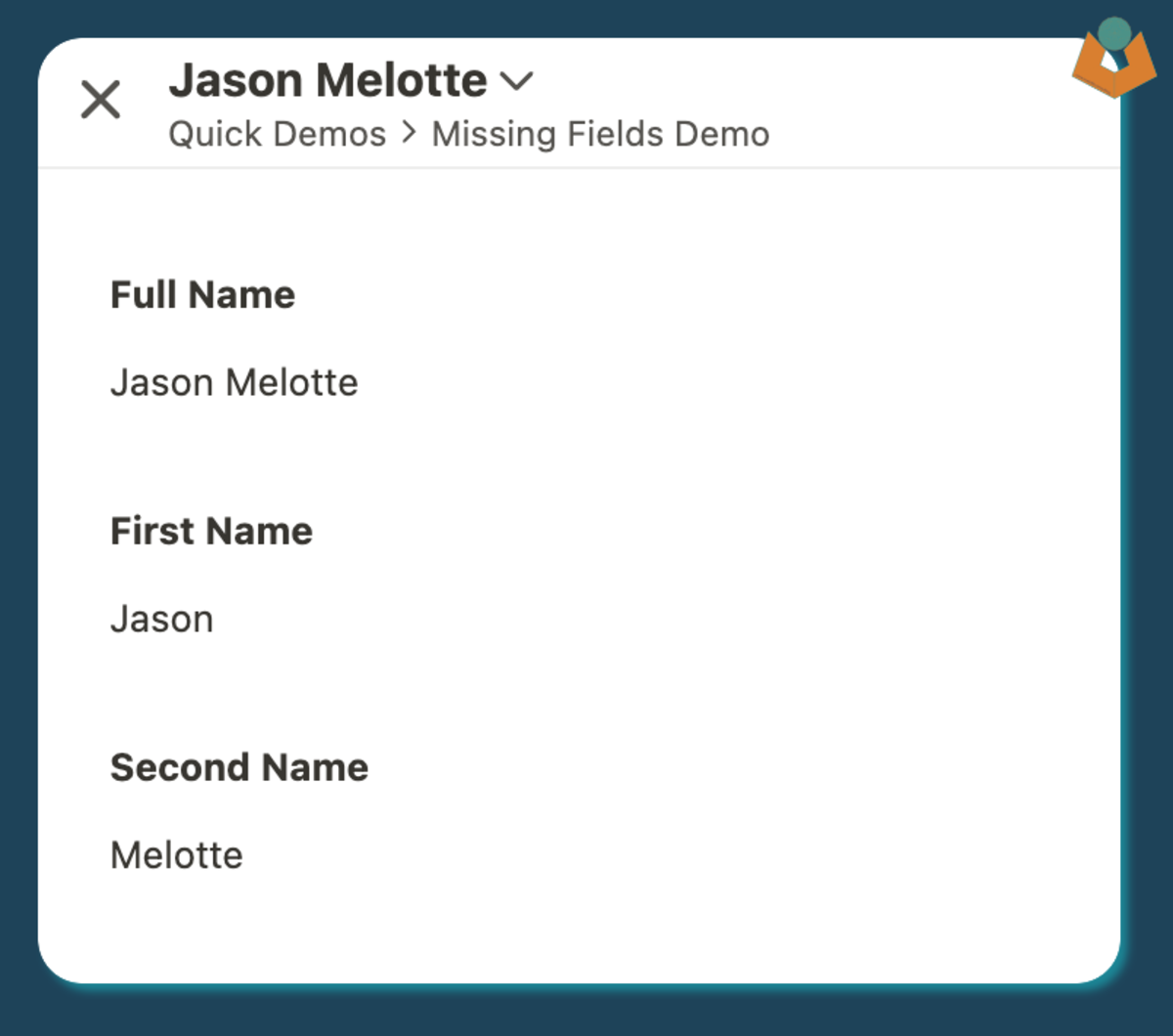
Tape contact record title displaying first and second name correctly when both fields are populated.
When both values are present, the title looks fine. The real problem appears when one of the fields drops out.

The first pass

A simple template might start like this:

`${@First Name || ""} ${@Second Name || ""}`

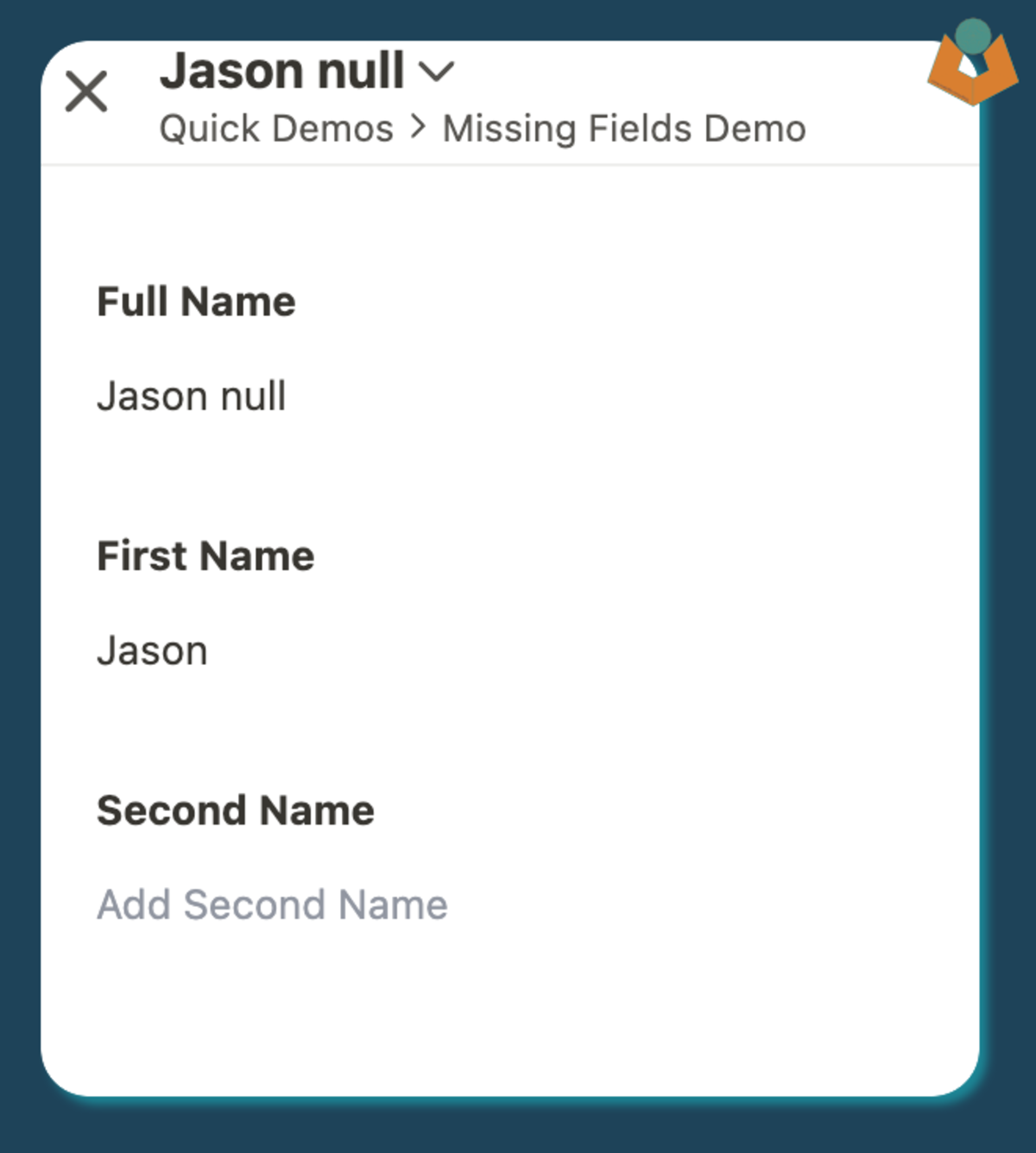
That avoids obvious null-style problems, but it can still leave extra spaces when one value is missing.

Tape contact title showing awkward spacing when one of the source name fields is missing.
Missing values can leave the title looking untidy unless the expression is written with spacing in mind.

A cleaner version

Adding trim() improves things immediately:

`${(@First Name || "").trim()} ${(@Second Name || "").trim()}`.trim()

That removes leading and trailing whitespace and makes the result much more reliable.

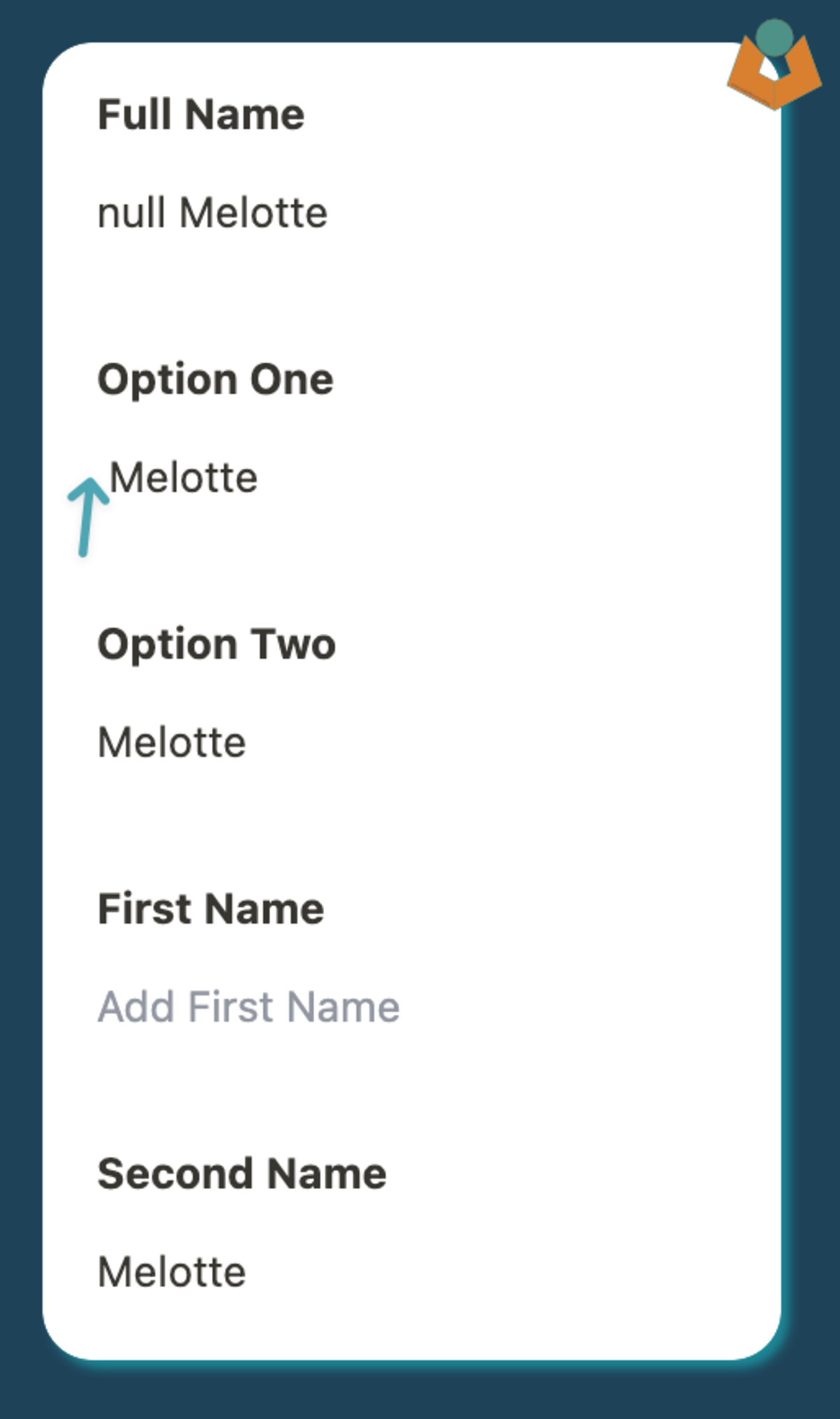
Comparison showing a contact title with extra leading space versus a trimmed title with clean spacing.
Adding trim() removes the stray space and makes the title feel much more intentional.

When the title gets more complex

If the title also needs to include something like a salutation, the string template starts to become harder to maintain.

For example:

`${@Title || ""} ${@First Name || ""} ${@Second Name || ""}`.trim()

This still works, but it scales less elegantly as the title grows.

A better pattern for multiple optional parts

Building an array and joining the defined values is often cleaner:

let titleParts = [
  @Title?.trim(),
  @First Name?.trim(),
  @Second Name?.trim()
].filter(Boolean);

let fullTitle = titleParts.join(" ");

fullTitle

This approach is easier to read, easier to extend, and avoids awkward spacing problems without burying everything inside one long template string.

Why this matters

Small details like this improve trust in the system. Titles and labels are part of the everyday interface, so they need to stay tidy even when the underlying data is incomplete.

It also pairs naturally with building a clearer record title in Tape when you want the title to carry useful context without becoming fragile.

Need help applying something like this in a live workflow?

Reading a guide is often enough to clarify the pattern. If the workflow is already messy, brittle, or hard to trust, the better next step is usually to look at the operational problem directly.