A practical guide to creating reference numbers in Tape, from the built-in unique ID field to custom date-based formats.
guide Tape 13 Sept 2025 6 min read
Why this entry exists
Useful notes belong on the main site when they help people make better use of systems in practice.
The goal is clearer workflows, better operational decisions, and fewer avoidable workarounds.
If a guide is worth writing, it should be easy to find and easy to return to later.
Reference numbers tend to become important quite quickly once a workflow starts to grow up.
In Tape there are a few ways to approach them, depending on what the reference is meant to do.
Option 1: use the built-in unique ID field
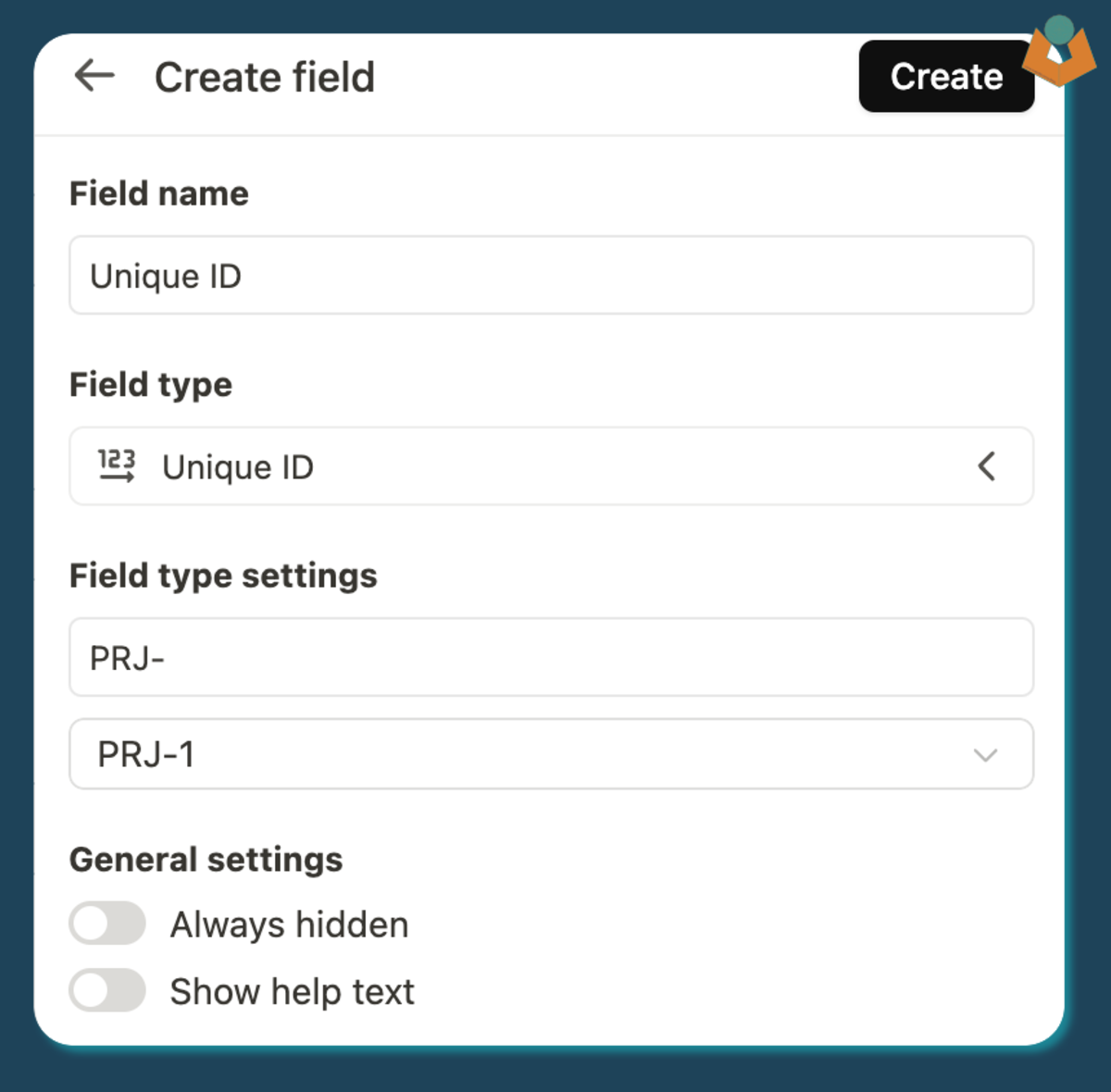
Tape provides a unique number field inside an app. This is the fastest route when you need something unique and do not need heavy formatting.
The built-in unique ID field is the quickest option when a simple in-app reference is enough.
It works well when:
the number only needs to be unique within one app
zero padding is not important
the prefix and suffix rules are simple
There are limits, though. You cannot pad it into a format like 0001, and the field can be less helpful when reused in other contexts.
Option 2: use the record ID deliberately
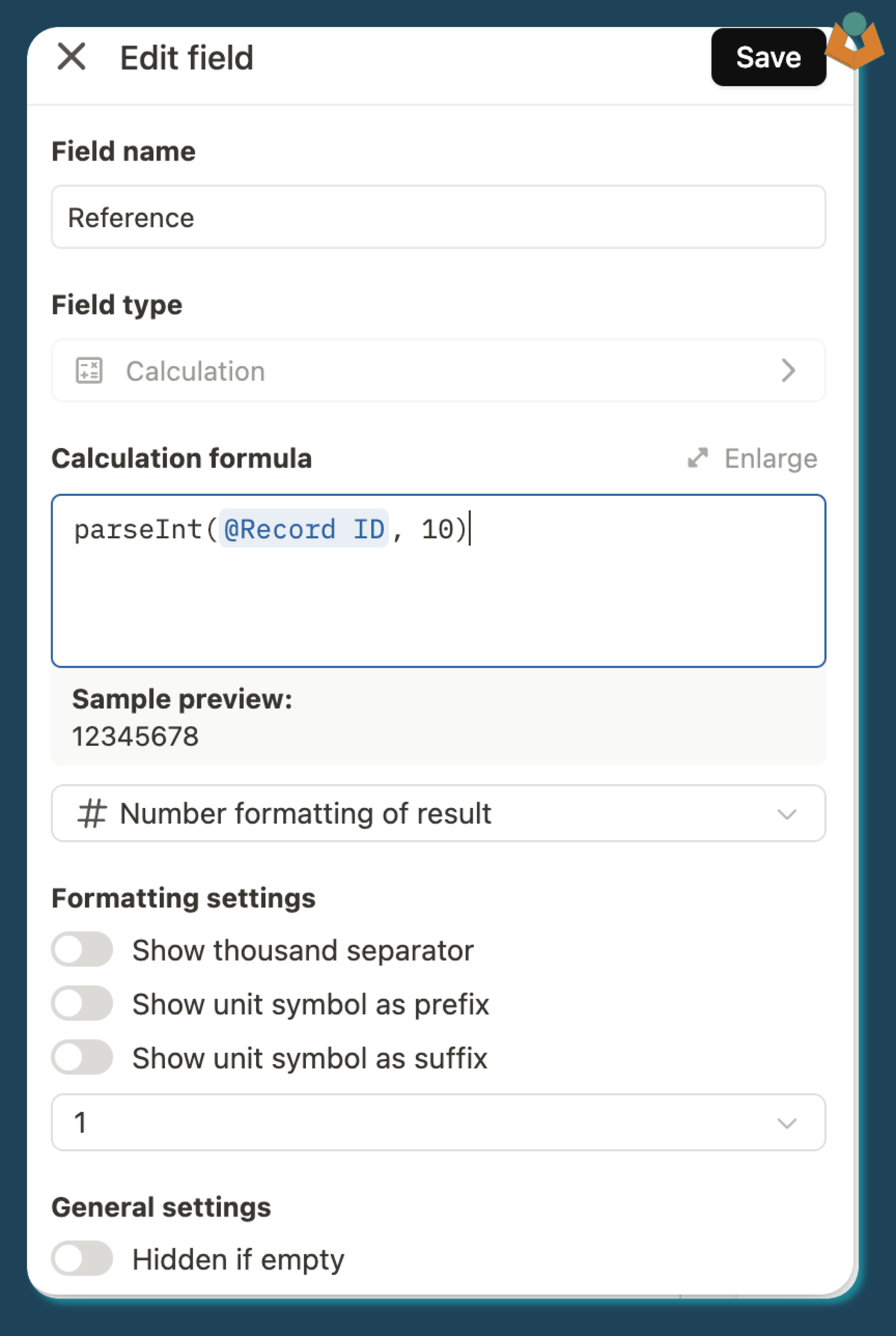
Tape also exposes a record ID that is globally unique across the platform. The important thing to remember is that it arrives as text, so if you want to use it as a number in calculations you should convert it:
parseInt(@record_id, 10)
The record ID is available, but it needs converting if you want to treat it as a numeric value in further calculations.
That makes it usable when you need a guaranteed unique source value but do not mind the larger number.
Option 3: build your own formatted reference
For client-facing or project-facing workflows, a custom format is often clearer. A common pattern is:
a text prefix
the current year
a padded unique value
For example:
`PRJ${date_fns.format(@Created on, 'yy')}${String(@Unique ID).padStart(3, '0')}`
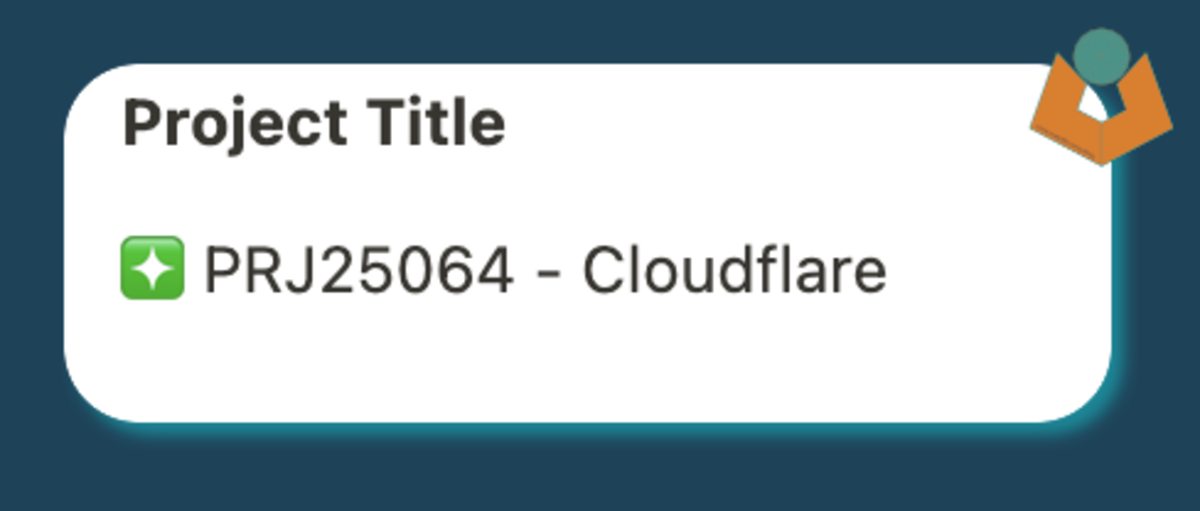
That gives you a reference like PRJ25001, which is easier to scan, easier to quote in emails, and easier to recognise in dashboards or related records.
A custom format gives you a reference that is easier to scan and easier to reuse across related parts of the system.
Breaking the format down
If the one-line version feels too dense, the same logic is easier to reason about when broken into parts:
const text = 'PRJ';const year = date_fns.format(@Created on, 'yy');const paddedUnique = String(@Unique ID).padStart(3, '0');`${text}${year}${paddedUnique}`
The important point is not the exact prefix. It is that the format stays readable enough for people to trust and use in day-to-day work.
Practical advice
Reference numbers do more than provide uniqueness. They help people navigate the system faster, especially when records move through different views, emails, and operational handovers.
Need help applying something like this in a live workflow?
Reading a guide is often enough to clarify the pattern. If the workflow is already messy, brittle, or hard to trust, the better next step is usually to look at the operational problem directly.